

_cropped.jpg)
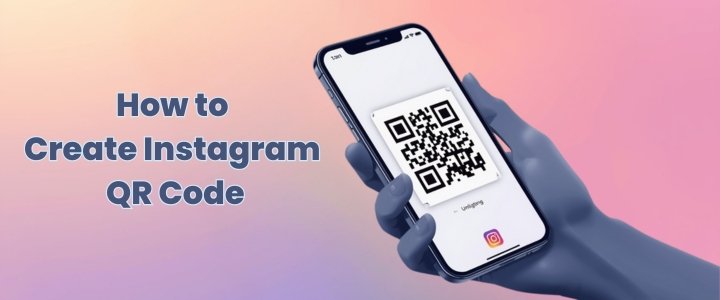
Instagram has evolved far beyond a simple photo sharing app. Today it is a discovery platform a business tool and a personal branding space all combined into one. As more people try to connect faster both online and offline Instagram introduced a simple yet powerful feature known as the instagram qr code. This small square code removes friction from profile sharing and replaces long usernames awkward searches and spelling mistakes. With one scan users can instantly reach a profile and start engaging.
This article explains the instagram qr code in deep detail covering how it works how to get it how to use it strategically and how it can quietly improve growth in ways most users never think about.
Understanding what an Instagram QR code really is
An instagram qr code is a scannable digital pattern that directly links to a specific Instagram profile. When someone scans this code using the Instagram app or a supported phone camera they are instantly redirected to the profile without typing anything. This feature was designed to simplify connections in real world situations where typing usernames is inconvenient or impossible.
Many users confuse it with third party QR tools but Instagram generates this code natively and ties it securely to the account. The qr code instagram system works in real time which means profile updates username changes or bio edits remain active without changing the code itself. This makes it reliable for long term use in print digital and physical marketing materials.
How Instagram QR codes work behind scenes?
At a technical level the ig qr code works by encoding a unique URL that points to an Instagram profile endpoint. When scanned the camera decodes the pattern and triggers a redirect within the Instagram ecosystem. Unlike basic website QR codes this one is optimized for the app environment. If the Instagram app is installed it opens directly inside it. If not it opens a browser preview prompting app installation.
This smooth fallback system ensures accessibility across devices. What most people do not realize is that Instagram tracks anonymous scan behavior to improve feature performance. While it does not reveal personal data to profile owners it helps Instagram understand offline to online engagement patterns which explains why QR features continue to expand.
How to get Instagram QR code step by step?
Learning how to get instagram qr code is simple but many users miss it because it is hidden inside menus. First open the Instagram app and go to your profile. Tap the three line menu icon in the top right corner. Inside the menu select the option labeled QR Code.
Instantly your unique instagram qr code appears on screen. From here you can customize the background download the image or let someone scan it directly. This process is the same on both Android and iPhone with minor visual differences. There is no need for third party apps or websites which reduces security risks and ensures accuracy.
Customizing your Instagram QR code design wisely
Instagram allows users to customize the look of their QR code which is more important than it seems. You can change background colors add emojis or use selfie mode which places your face inside the code design. These options make the code visually appealing and more likely to be scanned. A visually engaging qr code for instagram performs better in physical environments like events shops or posters.
Color contrast matters because low contrast designs fail to scan properly. Experienced marketers choose simple backgrounds with high contrast to balance aesthetics and functionality. Customization should support clarity not distract from scan accuracy.
Scanning an Instagram QR code correctly
Scanning an instagram qr code can be done in two primary ways. The first method is through the Instagram app itself by opening the QR scanner inside the search or profile menu. The second method uses the default phone camera which now supports QR scanning on most modern devices. Once scanned the phone recognizes the ig qr code and opens the profile instantly. Users should ensure proper lighting and camera focus for quick scanning. Screens with glare or printed codes with low ink quality may cause scanning delays which is why testing before distribution is critical.
Instagram QR code versus username sharing comparison
Sharing usernames has long been the default way to connect on Instagram but it has clear limitations. Usernames are often long include symbols and are easy to mistype. The instagram qr code eliminates these problems entirely. The table below highlights the practical differences between the two methods.
| Aspect | Instagram QR Code | Username Sharing |
|---|---|---|
| Speed of connection | Instant scan | Manual typing |
| Error risk | Very low | High |
| Offline usability | Excellent | Poor |
| Visual appeal | High | Low |
| Scalability for marketing | Strong | Limited |
This comparison shows why qr code instagram sharing is becoming the preferred option in professional environments.
Using Instagram QR codes for business growth
Businesses benefit significantly from using qr code for instagram profiles in physical and digital touchpoints. Restaurants place them on menus retail stores use them on counters and service providers print them on invoices. Each scan converts offline attention into online engagement. What makes this powerful is intent alignment. Someone scanning a code already shows interest which increases follow probability. Businesses that combine QR codes with a clear call to action like follow us for updates see higher conversion rates. Over time this creates a steady stream of organic followers without paid ads.
Instagram QR code for business cards usage
Business cards are no longer static pieces of paper. By adding an instagram qr code to a business card professionals turn it into an interactive gateway. Instead of hoping someone searches later the scan happens immediately. This is especially effective for creators designers photographers and consultants whose work is visual. When combined with a well optimized profile the first impression becomes much stronger. Many professionals underestimate how often business cards are lost but QR enabled cards allow instant digital saving which increases retention.
Downloading and sharing Instagram QR code easily
Instagram allows users to download their QR code as an image file directly from the app. This image can then be shared via messaging apps emails websites or printed materials. The ability to reuse the same code across platforms is a major advantage. Unlike temporary links the instagram qr code remains valid unless the account is deleted. Savvy users upload the code into design tools like Canva to integrate it into posters flyers and social graphics. Maintaining consistent placement and size across materials improves scan familiarity.
Instagram QR code stickers and print use
Printed qr code instagram stickers are becoming common in cafes pop up shops and events. Stickers work because they are casual and approachable. When placed at eye level with a short instruction they encourage spontaneous scanning. Print quality matters here because blurred edges reduce scan success. Matte finishes reduce glare compared to glossy ones. The psychology behind stickers is subtle. They feel informal and invite curiosity which increases engagement rates especially among younger audiences.
Safety and privacy aspects of Instagram QR codes
Many users worry about privacy when using QR codes. An instagram qr code only reveals the public profile information that is already visible. It does not expose private data messages or account settings. Scanning does not notify the profile owner nor does it log personal information. This makes it safe for public sharing. However users should avoid placing codes in locations where tampering is possible. Altered codes could redirect to fake profiles. Regular checks ensure authenticity and trust.
Common Instagram QR code problems and fixes
Sometimes users face issues where the ig qr code does not scan properly. Common reasons include outdated app versions poor lighting damaged prints or overly customized designs. Updating the Instagram app resolves most issues. For printed codes testing with multiple devices before distribution is essential. Keeping designs simple and high contrast improves reliability. These small steps prevent frustration and ensure a smooth experience for scanners.
Best practices to increase QR code scans
To maximize scan rates placement and messaging matter. Place the instagram qr code where people naturally pause such as checkout counters waiting areas or entry points. Add a clear reason to scan like follow for offers or see our work. Avoid clutter around the code. White space improves focus. Consistency across touchpoints builds familiarity. Over time people recognize the pattern and scan instinctively. These subtle optimizations separate average results from excellent ones.
Instagram QR code use for creators influencers
Creators and influencers use ig qr code features at meetups workshops and collaborations. Instead of repeating usernames they display the code on screens badges or merch. This saves time and ensures accurate connections. Creators also use QR codes in video outros or story highlights linking offline audiences to online content. This hybrid approach bridges physical presence and digital growth effectively.
Future potential of Instagram QR codes
The future of instagram qr code usage looks strong as offline and online experiences merge. As augmented reality and smart packaging grow QR codes become gateways rather than simple links. Instagram continues testing new integrations such as product tags and location based experiences. Users who adopt QR strategies early position themselves ahead of competitors. The simplicity of scanning combined with evolving features makes this tool future proof.
Final Thoughts
The instagram qr code may look like a small feature but its impact on connectivity and growth is significant. It removes friction builds instant trust and bridges offline and online worlds seamlessly. Whether you are a casual user a creator or a business this tool simplifies how people find and remember you. By understanding how it works customizing it wisely and placing it strategically you unlock consistent engagement opportunities that most users overlook.
As digital interactions become faster and more visual QR based connections will continue to gain priority. Using Instagram QR codes today is not just convenient it is a forward thinking move aligned with how people connect in the modern digital landscape.Instagram QR Code Explained: How to Create Share and Grow Faster
Instagram has evolved far beyond a simple photo sharing app. Today it is a discovery platform a business tool and a personal branding space all combined into one. As more people try to connect faster both online and offline Instagram introduced a simple yet powerful feature known as the instagram qr code. This small square code removes friction from profile sharing and replaces long usernames awkward searches and spelling mistakes. With one scan users can instantly reach a profile and start engaging.
FAQs
Can Instagram QR codes work without internet access?
Scanning requires internet access to load the profile. However the scan itself works offline and queues the action until connectivity is restored which many users do not realize.
Does changing username affect the QR code?
The instagram qr code remains valid even if the username changes because it links to the account ID not the visible handle.
Can multiple QR codes exist for one account?
Instagram generates one primary QR code per account. Custom designs still reference the same underlying link.
Is there any scan limit on Instagram QR codes?
There is no known limit. The code can be scanned unlimited times without restriction.
Can Instagram QR codes be used in ads?
Yes they can be placed in print ads billboards and physical displays to drive organic profile visits without ad spend.
Are Instagram QR codes better than website links?
For profile discovery yes. They reduce steps and increase follow rates compared to typing URLs.
.jpg)
