_cropped.jpg)

Online reviews have become one of the strongest trust signals for modern businesses. When people search for a service or product, they rarely make a decision without reading feedback from others. This is where a google review qr code becomes powerful. It removes friction from the review process and connects customer satisfaction directly to visibility and credibility. Instead of asking customers to search for your business manually, a single scan takes them straight to the review box.
This article explains the concept deeply, shows how it works, why it matters for local SEO, and how to use it correctly to grow reviews without violating Google policies.
What Is a Google Review QR Code?
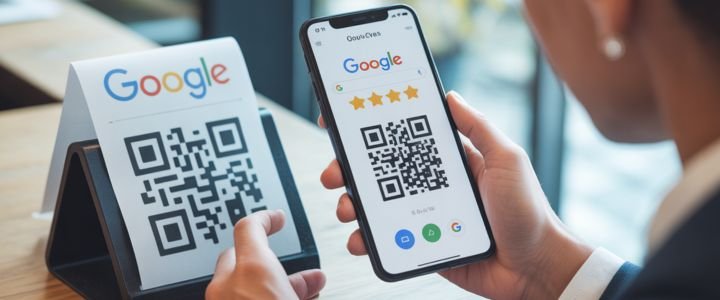
A google review qr code is a scannable code that sends users directly to the review section of a Google Business Profile. When someone scans the code using a phone camera, it opens Google Search or Google Maps with the review form ready. This removes multiple steps that usually discourage customers from leaving feedback. The idea is simple but extremely effective because it captures the moment when the customer experience is still fresh. Many businesses underestimate how small barriers reduce review rates. Even one extra step can stop a user. A qr code for google reviews shortens the entire journey into a single action, which is why it works so well for both small and large businesses.
From a technical perspective, the code contains a unique URL linked to your business profile. Google itself now allows business owners to generate this directly from their account, which means it is official, safe, and fully compliant. This also means you do not need advanced tools or paid software. The simplicity of the google reviews qr code is the main reason it has become popular across retail stores, restaurants, clinics, salons, and service based businesses.
Why Google Review QR Codes Matter?
Google reviews influence trust, rankings, and conversions in ways many businesses do not fully realize. A google review qr code does not just collect feedback. It improves the entire review ecosystem around your brand. Reviews affect how often your business appears in local results, how attractive your listing looks, and whether users choose you over competitors. When customers see fresh and frequent reviews, they subconsciously associate the business with activity and reliability.
Another reason qr code for google review strategies matter is timing. Customers are most likely to leave a review right after a positive experience. If you wait days or send follow up emails, interest drops. A visible qr code at checkout or on a receipt captures that moment. Businesses that use this approach often see a steady increase in review volume without aggressive asking. This also creates a more natural review profile, which Google prefers. Sudden spikes from artificial methods can look suspicious. Gradual growth through real interactions strengthens long term SEO signals.
How Google Review QR Codes Work?
The functionality behind a google review qr code is straightforward but intelligently designed. When scanned, the phone camera recognizes the encoded URL and opens it in the default browser or Google Maps app. If the user is logged into a Google account, the review form appears immediately. If not, Google prompts them to sign in before continuing. This ensures reviews come from real users and protects review quality.
What many people do not consider is device behavior. On Android devices, the process is often smoother because Google services are deeply integrated. On iPhones, it still works seamlessly through Safari or the Google Maps app. The code itself does not store data or track users. It simply acts as a shortcut. This simplicity is why google review qr codes are safe and reliable. They rely entirely on Google infrastructure rather than third party systems that may introduce risk or policy violations.
How to Get Google Review QR Code?
Learning how to get google review qr code is easier than most guides make it sound. Google has simplified the process inside the Google Business Profile dashboard. You do not need design skills or external tools. Once logged into your Google account, search for your business name. If you manage the profile, you will see management options directly in search results. One of these options is labeled Ask for reviews. Clicking this reveals a shareable link and an automatically generated qr code.
This method works on both desktop and mobile devices. On desktop, you can download the qr code image and use it in print or digital formats. On mobile, you can save the image or share the link. The key advantage of this method is trust. Google generated codes are always up to date and linked correctly. Many people still search for how to get a qr code for google reviews through third party websites, but the official method is safer and simpler.
Step by Step Google Review QR Code Creation
| Step | Action Required | Where It Happens |
|---|---|---|
| 1 | Sign into Google account | Desktop or mobile |
| 2 | Search your business name | Google Search |
| 3 | Open Business Profile tools | Search dashboard |
| 4 | Click Ask for reviews | Profile options |
| 5 | Download QR code image | PNG format |
This table highlights that the process is short and efficient. Most businesses complete it in less than two minutes.
QR Code for Google Reviews Free Options
Many businesses look for qr code for google reviews free solutions because they assume QR technology is expensive. In reality, the free options are often the best. Google own qr code is completely free and requires no subscription. It may lack heavy customization, but it performs its core function perfectly. This makes it ideal for most businesses that value simplicity and compliance.
Third party tools also offer free qr codes with design options like colors and logos. These can be useful for branding, but they introduce dependencies. If a service shuts down or changes terms, your qr code may stop working. This is why experienced marketers often recommend using the Google option for core review generation and third party tools only for secondary marketing materials. The google review qr code generated directly by Google is future proof and aligned with policy updates.
Google Versus Third Party QR Generators
| Feature | Google QR Code | Third Party Tools |
|---|---|---|
| Cost | Free | Free or paid |
| Customization | Limited | High |
| Policy safety | Very high | Varies |
| Reliability | Long term | Depends on provider |
Where to Use Google Review QR Codes?
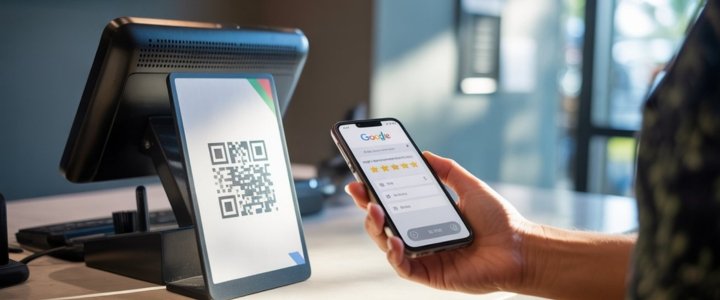
Placement plays a major role in how effective a google review qr code becomes. Simply generating one is not enough. It needs to be visible at moments when customers are receptive. Physical locations benefit from placing codes at checkout counters, tables, waiting areas, or inside packaging. These locations naturally invite interaction without pressure.
Digital placements also matter. Adding a qr code for google review to email signatures, invoices, or follow up messages reinforces the request without being intrusive. Some businesses place the code on their website contact page or thank you pages. The goal is to integrate it into existing touchpoints rather than forcing it into awkward spaces. When done correctly, customers feel guided rather than pushed.
Best Practices for Google Review QR Codes
Using a google review qr code responsibly is crucial. Google policies clearly prohibit incentivized or gated reviews. This means you should never offer discounts or rewards in exchange for reviews. The request should be neutral and optional. A simple message like Your feedback helps us improve is often enough. The tone matters more than the tool itself.
Another best practice is clarity. Customers should know exactly what happens when they scan the code. Avoid misleading language. Also avoid placing multiple codes for different review platforms in one place. This creates confusion. Consistency builds trust. Businesses that follow these guidelines tend to see sustainable review growth rather than short term spikes followed by penalties or filtering.
Are Google Review QR Codes Safe?
Safety concerns often arise because QR codes can be misused in other contexts. However, a google review qr code generated directly by Google is extremely safe. It contains a direct link to a Google owned domain and does not redirect through unknown servers. This eliminates risks associated with phishing or malware.
Third party qr codes can also be safe if used carefully, but they require due diligence. Always test the code on multiple devices and ensure it opens the correct review page. Avoid shortened URLs or masked redirects. Transparency protects both your business and your customers. When safety is handled properly, qr codes become a trusted bridge rather than a risk.
Google Review QR Codes and Local SEO
Local SEO is where google review qr code strategies show their strongest impact. Reviews influence prominence, relevance, and trust, which are key factors in local ranking algorithms. A steady flow of new reviews signals activity. It also increases the likelihood of keyword rich content appearing naturally in reviews, which strengthens relevance signals.
Another overlooked aspect is user behavior. Listings with more reviews attract higher click through rates. This behavioral signal feeds back into ranking performance. Over time, businesses using qr code for google reviews correctly often see improved map visibility. The impact is not instant, but it is cumulative. Consistency matters more than volume. A few new reviews every week are more powerful than a sudden burst.
Final Thoughts
A google review qr code is one of the simplest yet most effective tools for building trust and visibility in local search. It aligns perfectly with how users behave today. Quick actions, minimal effort, and immediate results. When implemented correctly, it supports natural review growth, strengthens local SEO signals, and improves conversion rates without aggressive marketing.
The key is to focus on authenticity and placement rather than volume. Use the official Google method, integrate the code naturally into your customer journey, and respect review policies. Over time, this approach builds a review profile that looks real, feels trustworthy, and performs well in search results. Businesses that understand this long term perspective are the ones that consistently rank higher and earn customer trust organically.
FAQs
Can customers leave reviews without a Google account?
Many users assume anyone can leave a review instantly. In reality, Google requires an account to maintain review integrity. However, most smartphone users are already logged in. The qr code simply reduces friction. In practice, this requirement rarely becomes a barrier, especially in regions with high smartphone adoption.
Does Google track scans of review QR codes?
Google does not provide scan analytics for its native qr codes. This means you cannot see how many times it was scanned. While this may seem like a limitation, it also protects user privacy and keeps the process simple. Businesses usually measure success through review growth rather than scan data.
Why does my QR code open Google Maps instead?
This behavior depends on device settings and installed apps. Opening Google Maps is normal and still leads to the correct review form. From a user perspective, it often feels more intuitive. It does not negatively affect the review process or SEO outcomes.
Can one QR code work for multiple locations?
Each Google Business Profile has a unique review link. This means each location needs its own google review qr code. Using one code for multiple locations can confuse customers and dilute review signals. Multi location businesses should generate separate codes for accuracy.
Can QR codes harm my Google profile?
QR codes themselves do not cause harm. Problems only arise when they are used alongside prohibited practices like incentivized reviews or fake accounts. When used ethically, they strengthen your profile rather than risk it.