_cropped.jpg)
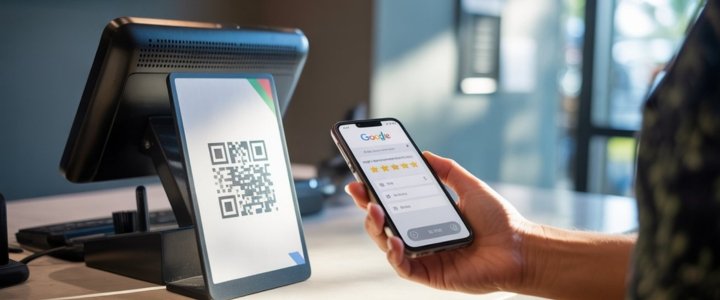
In today’s competitive digital environment online reputation has become one of the strongest trust signals for any business that relies on local customers. When people search for a restaurant clinic salon store or service provider the first thing they notice is not the website design or pricing but the number and quality of Google reviews. This is exactly where a QR Code for Google Reviews plays a powerful role. Instead of asking customers to search your business name scroll through listings and then leave feedback you can guide them directly to your review page with one simple scan. This approach removes friction shortens the review journey and increases the chances of customers actually completing a review. Many businesses underestimate how small obstacles reduce review volume but real world behavior shows that convenience drives action. A properly implemented Google review QR code becomes a silent assistant that works every day without reminders pressure or follow ups.
Understanding Google review QR code basics
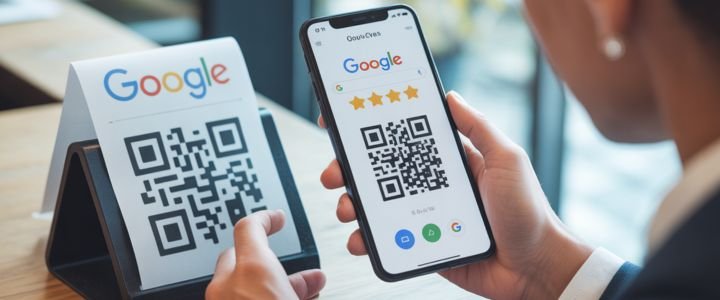
A QR Code for Google Reviews is a scannable image that links directly to your Google Business Profile review form. When someone scans the code using a smartphone camera they are instantly redirected to the page where they can rate and write a review for your business. There is no need to open a browser manually or search on Google Maps which makes the experience smooth and intuitive. This simplicity is the core reason why review QR codes are becoming standard practice in cafes retail stores clinics and even home service businesses. What many people do not realize is that Google itself supports this process through the Business Profile interface which means you are not violating any policy by using a QR code. The code simply acts as a shortcut to an already existing official review link which Google encourages businesses to share responsibly.
Why businesses need review QR codes?
The real value of a QR Code for Google Reviews lies in behavioral psychology rather than technology. Customers are far more likely to leave feedback when the request happens at the right moment and requires minimal effort. A satisfied customer who just completed a meal or service is emotionally ready to leave a positive review but that motivation fades quickly if the process feels complicated. QR codes capture that moment. They transform passive satisfaction into active feedback. From a local SEO perspective consistent reviews signal trust relevance and activity to Google which can improve map pack visibility. Businesses that actively collect reviews through ethical methods often see higher click through rates better conversion and increased foot traffic. Over time the compounding effect of reviews becomes a strong competitive advantage that is difficult for competitors to replicate quickly.
Getting QR code from Google Business Profile
Google provides an official way to generate a QR Code for Google Reviews directly from your Business Profile which is the most reliable and recommended method. This option ensures that your code always points to the correct review form and does not expire or break due to third party limitations. To access it you need to be logged into the Google account that manages your business. Search for your business name on Google while logged in and open your Business Profile panel. Scroll until you find the section labeled Get more reviews or Ask for reviews. Within this area Google displays a unique QR code linked to your review page. You can download this image and use it across printed and digital materials. Many business owners overlook this feature because it is not heavily advertised yet it is one of the safest options available.
Creating QR codes using third party tools
While the Google provided QR code works perfectly some businesses prefer customization options such as brand colors logos or different shapes. In such cases third party QR code generators become useful. Tools like Canva QR Code Chimp QR Stuff ME QR and similar platforms allow you to paste your Google review link and generate a custom QR code. The process usually starts by copying your Google review URL from the Business Profile and pasting it into the generator. From there you can adjust colors add a logo or frame and download a high resolution image. It is important to ensure that the generated QR code is static and does not expire if you are using a free plan. Always test the code on multiple devices before printing to avoid scanning issues.
Comparing official and third party QR methods
| Feature | Google Business Profile QR | Third Party QR Generators |
|---|---|---|
| Cost | Free | Free and Paid |
| Customization | Very limited | High customization |
| Expiry Risk | None | Possible on free plans |
| Analytics | Not available | Available on paid plans |
| Policy Safety | Fully official | Depends on provider |
| Ease of Setup | Very easy | Easy but requires steps |
This comparison helps businesses choose the method that aligns with their goals. If reliability and simplicity matter most the official Google option is ideal. If branding and tracking are priorities then a reputable third party generator can add value.
Best places to use Google review QR codes
Placement plays a critical role in how effective a QR Code for Google Reviews becomes. A code placed in the wrong location may be ignored while a strategically placed one can generate consistent feedback. Physical touchpoints are the most powerful because they coincide with real experiences. Tables counters receipts product packaging and service completion cards are common examples. Digital placements also work well including email signatures invoices WhatsApp follow ups and thank you pages. The key is context. The QR code should appear where the customer naturally pauses and feels appreciated rather than rushed. Adding a short call to action such as Scan to share your experience or Help us improve with your review increases engagement significantly.
Optimizing QR codes for maximum scans
Many businesses create a QR code but fail to optimize it for usability. Size contrast and clarity matter more than design trends. A QR code should be large enough to scan from a comfortable distance and printed with high contrast colors. Avoid placing codes on glossy surfaces that cause reflections. Always include a short text explanation so customers understand what happens after scanning. Another overlooked factor is timing. Staff training matters because a polite verbal prompt combined with a visible QR code dramatically increases scan rates. Businesses that integrate QR codes into their service flow rather than treating them as decoration see better results.
SEO impact of Google review QR codes
While a QR Code for Google Reviews does not directly influence search engine rankings it indirectly affects several important SEO signals. More reviews lead to higher trust and stronger click behavior in search results. Active review profiles signal freshness and engagement to Google. Reviews also influence local pack visibility which is crucial for service based businesses. Over time increased reviews can improve conversion rates because potential customers trust businesses with social proof. This creates a positive feedback loop where better visibility leads to more customers and more customers lead to more reviews.
Common mistakes businesses should avoid
One of the most common mistakes is using the wrong review link which sends users to Google Maps instead of the review form. Another issue is relying on free QR generators that expire or display ads which damages trust. Overdesigning QR codes can reduce scan reliability especially on older devices. Some businesses also violate Google policies by offering incentives for reviews which can lead to penalties. A QR code should be an invitation not pressure. Avoid placing QR codes in areas where customers feel obligated rather than encouraged. Ethical review collection always performs better in the long run.
Legal and policy considerations
Google allows businesses to share review links and QR codes as long as they do not manipulate feedback. This means no discounts gifts or conditional rewards for reviews. It also means not filtering only positive customers to leave feedback. Transparency matters. A QR Code for Google Reviews should be accessible to all customers equally. Businesses that follow these guidelines build authentic review profiles that remain stable over time. Understanding these policies protects your listing from suspension and maintains credibility with both customers and search engines.
Practical use cases across industries
| Industry | Use Case Example | Expected Outcome |
|---|---|---|
| Restaurants | Table tent QR codes | More immediate reviews |
| Clinics | Reception desk cards | Trust building feedback |
| Retail | Printed receipts | Post purchase reviews |
| Salons | Mirror stickers | Emotional engagement |
| Home Services | Service completion cards | Local SEO growth |
This table shows how different industries adapt QR codes to their workflow without disrupting customer experience. The concept remains the same but execution changes based on context.
Final thoughts
A QR Code for Google Reviews is not just a technical shortcut but a strategic asset for modern businesses. It bridges the gap between customer satisfaction and public feedback in a way that feels natural and respectful. When implemented correctly it simplifies the review process improves local visibility and strengthens long term trust. Businesses that focus on ethical usage proper placement and clear communication gain consistent results without risking policy violations. In an era where convenience drives behavior QR codes provide a simple yet powerful solution to one of the most important aspects of online reputation management. By understanding the intent behind review collection and aligning it with user experience you create a system that benefits both your customers and your business growth over time.
FAQs
Can a single QR code work for multiple locations?
A single QR code should not be used for multiple locations because each Google Business Profile has a unique review link. Using one code for different branches confuses customers and damages location specific SEO signals. Each location should have its own dedicated QR Code for Google Reviews to maintain accuracy and trust.
Do Google review QR codes stop working over time?
Official Google QR codes do not expire as long as the Business Profile remains active. Third party QR codes may expire depending on the provider and plan. This is why periodic testing is essential especially if you rely on free tools. A broken QR code can silently harm review collection without obvious signs.
Does adding a logo reduce QR scan success?
Adding a logo can enhance branding but only if done carefully. Overcrowding the QR code or reducing contrast can make scanning difficult. High quality generators optimize error correction to allow logos without sacrificing usability. Always test after customization to ensure reliability.
Can QR codes be tracked for performance?
Google does not provide scan analytics for its official QR codes. Third party generators often offer tracking features that show scans location and device types. These insights can help businesses optimize placement and design. However analytics are optional and not required for effective review collection.
Is it better to ask verbally or rely on QR codes?
The highest success comes from combining both approaches. A friendly verbal request followed by a visible QR code feels personal yet convenient. Customers respond better when they understand why their feedback matters and how easy it is to share.
Can QR codes influence negative reviews?
QR codes do not create negative reviews but they make it easier for all customers to share honest feedback. This transparency is healthy. Addressing negative reviews professionally builds trust and signals accountability. Businesses that fear negative reviews often miss growth opportunities.