_cropped.jpg)
Online reviews influence buying decisions more than most business owners realize and Google reviews sit at the center of that trust ecosystem. When potential customers search for a local business the star rating and recent feedback often matter more than the website itself. This is where learning how to get google review qr code becomes a practical advantage rather than a technical detail. A Google review QR code removes friction from the review process and transforms casual in store interactions into measurable online credibility. Instead of asking customers to search for your business name manually the QR code takes them directly to the review form in seconds.
This article explains the full process in depth using real world context and search intent aligned insights so that business owners understand not only how to generate a Google review QR code but also how to use it intelligently for long term growth.
What Google Review QR Code Actually Does?
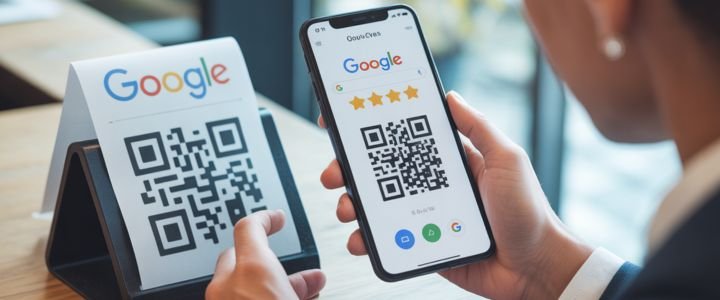
A Google review QR code is a scannable visual shortcut that opens the exact review form of your Google Business Profile on a mobile device. When a customer scans the code using a smartphone camera they are redirected to the Google interface where they can rate your business and leave written feedback instantly. This removes multiple steps such as searching your business name choosing the correct listing and then locating the review button. From a user experience perspective this reduction in effort significantly increases the likelihood of action. Many businesses underestimate how small obstacles reduce conversions and reviews are no exception. The QR code works as a bridge between offline interactions and online reputation making it one of the simplest tools for collecting authentic Google reviews at scale without violating platform guidelines.
Why Businesses Need Google Review QR Codes?
Businesses that rely on foot traffic or service based interactions often struggle to convert satisfied customers into reviewers because timing matters. Asking someone to leave a review later rarely works because intent fades quickly. A Google review QR code captures the moment of satisfaction when the experience is still fresh. From a local SEO standpoint more recent reviews signal activity and trust to Google which can improve visibility in map results. Beyond rankings reviews influence click through behavior and customer confidence. A well placed QR code simplifies the request without sounding pushy and gives customers control over when and how they respond. This combination of convenience and timing is why QR codes consistently outperform simple verbal review requests.
| Business Benefit | Practical Impact |
|---|---|
| Faster Review Submission | Customers reach the review form instantly |
| Higher Review Volume | Reduced steps increase participation |
| Improved Local SEO | More reviews strengthen map visibility |
| Better Customer Experience | Simple and respectful review request |
| Offline to Online Conversion | Physical interactions become digital trust |
Requirements Before Generating Google Review QR Code
Before creating a Google review QR code there are a few essential requirements that must be in place. The business must have an active and verified Google Business Profile because the review link is generated from this listing. Access to the owner or manager account is required since review sharing options are only visible to authorized users. The business name should appear correctly in Google search results because the QR code ultimately points to that listing. It is also important that the business category and location are properly set since reviews contribute most effectively when the profile is complete. These prerequisites ensure that the QR code directs customers to the correct review form and avoids confusion that can reduce trust or cause technical issues later.
How To Get Google Review Link Correctly?
Understanding how to get google review qr code begins with obtaining the correct review link from Google itself. First sign in to the Google account that manages your business profile. Once logged in search your business name directly on Google as if you were a customer. When the business profile panel appears look for an option labeled Ask for reviews or Get more reviews depending on interface updates. Clicking this option reveals a direct link that opens the review form for your business. This link is unique and tied to your profile. Copy this URL carefully because it is the foundation of your QR code. Many businesses make the mistake of copying the profile URL instead of the review form link which adds extra steps for customers and lowers conversion rates.
How To Turn Review Link Into QR Code?
Once the review link is copied the next step is converting it into a scannable QR code. This is done using a review qr code generator which transforms the URL into a visual code that mobile devices can read. The process is simple but precision matters. Open a reliable QR code generator and paste the Google review link into the designated field. Generate the QR code and preview it to confirm that it opens the correct review form. At this stage customization options become available which allow branding elements to be added. After finalizing the design download the QR code in a high resolution image format suitable for both digital and print use.
| Step Number | Action Required |
|---|---|
| Step One | Open a free QR code generator |
| Step Two | Paste Google review link |
| Step Three | Generate QR code |
| Step Four | Customize design if needed |
| Step Five | Download image file |
Best Free Tools To Create Review QR Code
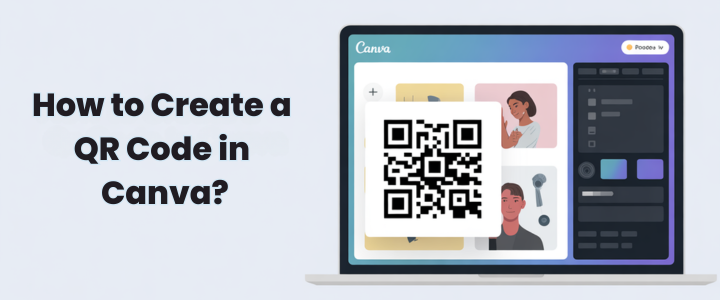
Choosing the right tool matters because not all generators offer the same level of customization or reliability. Many business owners search for google review qr code free options because the basic functionality does not require paid software. Tools like QR Code Monkey QRCode Chimp Canva and The QR Code Generator are commonly used due to ease of access and stable performance. Canva is especially popular for businesses that want to integrate the QR code into posters menus or marketing materials. QRCode Chimp offers analytics in paid versions which can help track scan behavior. The key is selecting a tool that allows clean design proper contrast and reliable scanning across devices.
| Tool Name | Free Access | Custom Logo Support | Ideal Use Case |
|---|---|---|---|
| QR Code Monkey | Yes | Yes | Simple generation |
| QRCode Chimp | Yes | Yes | Branding focused |
| Canva | Yes | Yes | Design integration |
| The QR Code Generator | Yes | Limited | Quick deployment |
How To Customize Google Review QR Code?
Customization is not just a visual preference it directly affects scan success and trust. A Google review qr code with logo often performs better because customers recognize the brand instantly and feel confident scanning it. Color choices should maintain high contrast between the code and background to ensure camera readability. Adding a short call to action such as Scan to leave a Google review provides context and increases engagement. Size matters especially for print materials since codes that are too small or placed poorly become ineffective. Error correction settings in generators allow the QR code to remain functional even with small design changes which is important for logos or color overlays.
Where To Use Google Review QR Code?
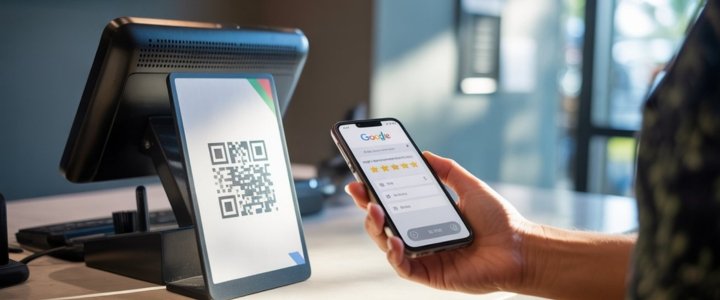
Placement determines effectiveness and the best locations align with moments of customer satisfaction. In physical stores placing the QR code near checkout counters captures customers immediately after service completion. Receipts and invoices work well because they travel home with the customer and extend the review window. Business cards menus and table tents provide repeated exposure. Digital placements such as email signatures and website footers create passive opportunities for reviews. The goal is not aggressive promotion but consistent visibility that makes reviewing feel natural rather than forced.
| Placement Location | Reason It Works |
|---|---|
| Checkout Counter | Immediate feedback moment |
| Printed Receipts | Post purchase reminder |
| Business Cards | Long term exposure |
| Email Signatures | Passive review requests |
| Website Footer | Continuous visibility |
Common Mistakes That Reduce QR Scans
Many businesses create a QR code once and assume the job is done without evaluating effectiveness. One common mistake is linking the QR code to the business homepage instead of the review form which adds unnecessary steps. Poor color contrast can make scanning difficult especially under low lighting conditions. Another overlooked issue is lack of instruction since customers may not know why they should scan the code. Printing the QR code too small or placing it where people do not pause reduces engagement. Finally not testing the code on multiple devices before mass printing can lead to costly errors and lost opportunities.
How To Test And Track QR Code Performance?
Testing ensures that the QR code functions correctly across different smartphones and camera apps. Scan the code using both Android and iOS devices to confirm compatibility. Dynamic QR codes available through some generators allow tracking scan counts which helps measure engagement. Monitoring review volume before and after QR code deployment provides insight into effectiveness. Businesses that treat review generation as a process rather than a one time task tend to see better results. Tracking also helps identify which placements perform best so future efforts can focus on high impact locations.
Is Google Review QR Code Safe?
Safety is a common concern and rightly so because customers are cautious about scanning unknown codes. Google review QR codes are safe when they link directly to official Google review forms. They do not violate Google policies when used ethically without incentives or manipulation. Transparency builds trust so businesses should clearly state the purpose of the QR code. Avoid third party redirects that obscure the destination URL because this can raise suspicion. When implemented correctly the QR code simply acts as a shortcut to an existing Google feature and carries no additional risk.
Google Review QR Code Vs Review Link
While both methods lead to the same destination their effectiveness differs depending on context. Review links work well in digital communication where clicking is natural. QR codes excel in physical environments where typing a URL is inconvenient. Understanding this distinction allows businesses to use both strategically rather than choosing one exclusively. QR codes complement review links by expanding reach into offline spaces and capturing moments that links alone cannot.
| Factor | QR Code | Review Link |
|---|---|---|
| Ease of Use | Very high | Moderate |
| Offline Accessibility | Yes | No |
| Customer Effort | Minimal | Higher |
| Placement Flexibility | Physical and digital | Digital only |
Final Thoughts
Learning how to get google review qr code is not about following a technical trend but about understanding customer behavior and reducing friction. A well implemented QR code turns everyday interactions into long term digital assets by encouraging authentic feedback at the right moment. When used ethically and strategically it strengthens trust improves local SEO and enhances brand perception. Businesses that treat reviews as a conversation rather than a request often see sustainable growth. By combining clear placement thoughtful design and consistent testing the Google review QR code becomes more than a tool and instead acts as a quiet yet powerful engine for reputation building and visibility in competitive local markets.
FAQs
Can a business generate a Google review QR code without a website?
Yes a website is not required because the QR code links directly to the Google Business Profile review form. As long as the profile exists and is verified the QR code functions independently of any website presence which makes it ideal for small local businesses.
Does Google provide the QR code directly or is a generator required?
Google provides the review link but does not always offer a downloadable QR image. A QR code generator is typically used to convert that link into a scannable format which gives businesses more control over design and placement.
Can multiple business locations use the same QR code?
Each location should have its own QR code because reviews are tied to individual Google Business Profiles. Using one code for multiple locations can misdirect customers and reduce review accuracy.
Is it possible to customize a Google review QR code in Canva?
Yes Canva allows creation of google review qr code template designs where the QR code can be embedded into posters cards and signage. This is especially useful for maintaining consistent branding.
Do customers need the Google app to leave a review?
No scanning the QR code opens the review form in a mobile browser. Customers only need to be logged into a Google account to submit the review which most users already are.