_cropped.jpg)
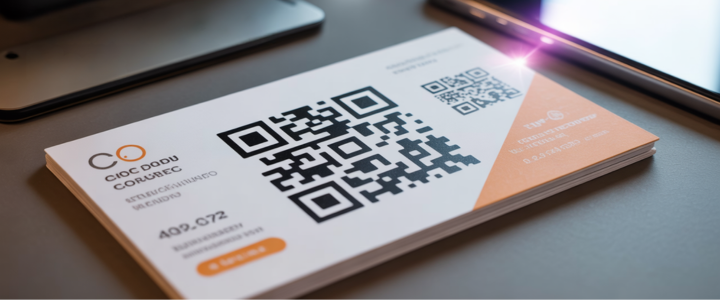
You hand someone your business card. It is small. It is made of paper. It has your name and phone number on it. But that is all. It cannot show your best work. It cannot play a video. It cannot open your website instantly. You have limited space on a traditional card.
There is a smart solution to this problem. You can use qr code business card ideas to share more information. A QR code is a special square box. When people scan it with their phone camera it takes them to a website or file. It acts like a bridge. It connects your printed card to the digital world.
In this guide you will learn many new things. We will show you creative ways to use QR codes. We will tell you where to point them. We will give you design tips. We will also explain how to make them using simple tools like Canva.
What Can Your QR Code Link To?
Before you design your card you must decide what the code will do. Do not just put a code there for no reason. It must be useful. Here are the best ways to use a qr code business card.
Digital Business Card (vCard)
This is the most helpful option. Usually someone gets your card and has to type your number into their phone. This takes time. They might make a mistake. A vCard QR code solves this. When they scan the code your contact details appear on their screen. They just tap "Save" and you are in their phone book. It is fast and easy.
Direct to Portfolio or Website
This idea is perfect for creative people. Maybe you are a photographer or an artist. You cannot put all your pictures on a small card. Instead you can use business cards with qr code features to link to your portfolio. People can see your work instantly. This is better than just telling them about it. They can see proof of your skills right away.
LinkedIn Profile
Networking is very important for business. Many professionals use LinkedIn to stay connected. You can make a qr code on business cards that opens your LinkedIn profile. This makes connecting very fast. They do not have to search for your name. They scan the code and send a connection request immediately.
Video Introduction
This is a very unique idea. Most people expect a website. Imagine if they scan the code and see a video of you. You can say "Hello" and introduce yourself. This builds trust very quickly. It shows your personality. It makes you memorable.
Appointment Booking
Do you want more meetings? You can link the code to your calendar. You can use tools like Calendly. When a client scans the card they see your free times. They can pick a slot and book a meeting. This fills your schedule fast. You do not need to send emails back and forth to find a time.
Special Offers
This is a great idea for small business owners. You can use custom business cards with qr code features to give a gift. You can say "Scan for a discount." When they scan it they get a coupon code. This makes people want to keep your card. It gives them a reason to visit your shop or website.
Top QR Code Business Card Design Styles
Now you know what the code does. Next you need to think about how it looks. The design is very important. Here are some popular business card design with qr code styles.
Minimalist Design
Sometimes simple is best. This style is very clean. You use a white background. You put a simple black QR code on it. You add your name and maybe one other detail. You do not use many colors or pictures. Less is more in this design. It looks professional and tidy.
Logo Integration
You can make the code look special. You do not have to use a plain black square. You can put your company logo in the middle of the code. This is good for branding. People will know the code belongs to your company. Many qr code business card designs use this trick to look more professional.
Themed by Industry
Your card should match your job.
- Real Estate: If you sell houses you can link to a house listing. The card can look like a "For Sale" sign.
- Restaurants: If you own a cafe you can link to the menu. The card can have food colors like red or green.
- Luxury Materials: If you want to look expensive you can use special materials. Some people make metal cards. Some use spot UV which is a shiny finish. You can make the QR code shiny so it stands out.
Where to Place the QR Code?
You must put the code in a place where it is easy to see. Here is some practical advice on layout.
The Back of the Card
This is the most popular choice for qr code business cards. You use the front of the card for your name and logo. This keeps the main side clean. Then you use the full back side for the code. You can make the code very large. This makes it easy to scan.
Front and Center
You can try a modern look. You can make the QR code the main hero on the front. It is the first thing people see. This tells people that the digital link is very important. It creates curiosity.
Creative Borders
You can draw attention to the code. You can put a frame or border around it. You can use a bright color for the frame. This draws the eye to the code. It tells the person to look there.
Catchy Phrases: Getting People to Scan
A QR code by itself can be confusing. People might not know what to do. They might ignore it. You need to tell them what will happen. You need a Call to Action or CTA. Here are some phrases to help.
Direct Examples
You can be very clear. Tell them exactly what to do.
- "Scan to Connect"
- "Save My Contact Info"
- "View My Portfolio"
Incentive Examples
You can give them a reward. Give them a reason to scan.
- "Scan for 10% Off"
- "See What We Do"
- "Book Your Free Consult"
How to Create Your Card (Tools & Templates)
You do not need to be a professional designer. There are easy tools you can use.
Using Canva
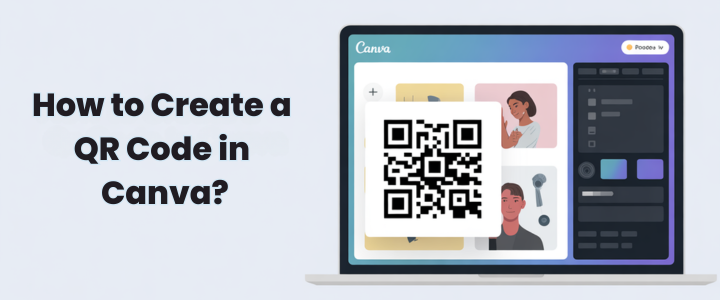
Canva is a very popular website. It is free to use. It has special canva qr code business card features. You can drag and drop items. You can generate a code right inside the app. It is very easy for beginners.
Templates
You do not have to start from scratch. You can find a qr code business card template online. Websites like Etsy or Adobe have many options. You pick a design you like. Then you just change the name and the code.
Editable Options
You should look for editable templates. Sometimes your information changes. Maybe you change your phone number. If you use a dynamic QR code you can change the link later. You do not have to reprint all your cards. This saves money.
Examples & Inspiration
It helps to see real examples. Here are some business card examples with qr code usage.
The Photographer
Imagine a photographer. Her card has a beautiful photo on the front. On the back there is a code. When you scan it you see her full gallery. This shows her style instantly.
The Startup
Imagine a new tech company. Their card is bright blue. It has a huge QR code in the middle. When you scan it you go to the app store. You can download their app immediately.
The Consultant
Imagine a business expert. His card is very serious and simple. The code links to his LinkedIn page. On that page you can read reviews from other clients. This proves he is good at his job.
Conclusion
The best QR code business card ideas are those that offer real value to the person scanning them. Whether it's saving them time with a vCard, offering an exclusive discount, or directing them to your impressive portfolio, the goal is to make their experience seamless and memorable.
Now that you're armed with plenty of creative options, we encourage you to choose one from our list and give it a try. See which idea best fits your brand and resonates with your audience.
One final tip before you go to print, always test your QR code with your own phone. It’s a simple step that can save you the headache and cost of reprinting 500 cards
FAQs
Is it a good idea to use QR codes on business cards?
Yes, QR codes are a great way to share information quickly and efficiently. They add a modern and interactive element to business cards.
How to make QR codes look good on business cards?
Design the QR code to match your card's style. Use custom colors, shapes, and placement while ensuring it remains easy to scan.
What information should be added to a QR code business card?
You can link to your website, portfolio, contact information, or social media. Focus on the most relevant details for your audience.
Are QR code business cards free or paid?
The cost depends on how you create QR codes. Basic static codes are usually free, while dynamic codes with advanced features may require a paid subscription.
How long do QR codes on business cards last?
Static QR codes last indefinitely, but dynamic codes may require reactivation if they are linked to a subscription service.
Which QR code type is best for business cards?
Dynamic QR codes are best because they allow updates to information without reprinting the card.