_cropped.jpg)
You hand a potential client your business card. They nod, put it in their pocket, and walk away. That card likely ends up in a drawer, the bottom of a laundry basket, or the trash. The connection is lost before it even began.
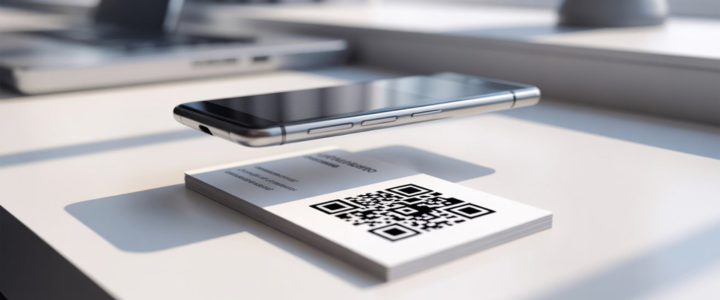
But what if they could scan your card and instantly save your contact info, view your portfolio, or book a meeting? That is the power of a QR code business card. It bridges the gap between a physical handshake and a digital connection.
The good news is that you don't need to hire an expensive graphic designer to get one. Whether you are a freelancer, a real estate agent, or a small business owner, using a qr code business card template is the fastest way to look professional.
In this guide, we will explore where to find the best templates, how to customize them, and the crucial design rules you must follow to ensure your code actually works.
Why Use a Ready Made Template?
A business card template with a QR code is simply a pre-designed layout that includes a dedicated space for your digital barcode. While you could try to design a card from scratch, starting with a blank canvas is often frustrating and time-consuming.
Here is why smart professionals choose templates:
- Speed: You can create a design in minutes, not hours.
- Cost: It is significantly cheaper than hiring a freelance designer or agency.
- Professionalism: Templates are created by designers who understand spacing, bleed lines, and typography. The layouts are already optimized for readability.
- Functionality: Good templates ensure the QR code is placed in an area where it won't be cut off during printing or obscured by your logo.
Using a template allows you to focus on the content your name, title, and link rather than worrying about whether your font size is legible.
Top Platforms for QR Code Business Card Templates
Not all design tools are created equal. Depending on your skill level and software preference, here are the best places to find your perfect layout.
Canva
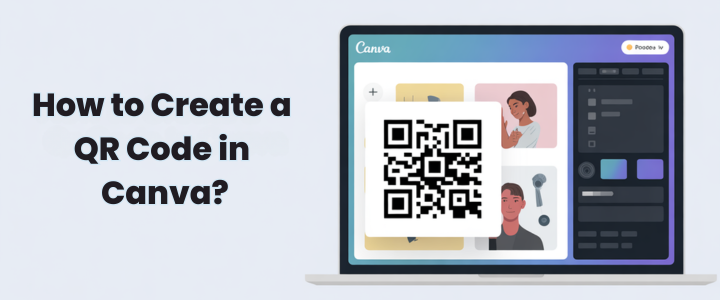
Canva is arguably the most popular choice for non-designers. A Canva qr code business card template is incredibly easy to use because the platform has a built-in QR code generator. You don't need to create the code on a separate site and upload it; you do it all within the editor. Their library is massive, ranging from minimalist black-and-white designs to colorful, artistic layouts.
Adobe Express
For users who want a slightly more polished, high-end look, Adobe Express offers excellent templates. It functions similarly to Canva but integrates well if you are already in the Adobe ecosystem. Their templates often feel a bit more corporate and modern, making them great for tech startups and consultants.
Freepik
If you have some experience with design software like Adobe Illustrator, Freepik is a goldmine. You can download vector files (EPS or AI). This allows you to manipulate every single curve and line of the design. While they offer a qr code business card template free download, their premium subscription unlocks millions of high-quality assets.
Vistaprint
If you want to design and print in the same workflow, Vistaprint is the industry standard. Their editor allows you to pick a template, add your details, generate a code, and order 500 cards in one sitting. It removes the hassle of exporting files and finding a separate printer.
Microsoft Word and PowerPoint
Believe it or not, many people still prefer the classics. If you are looking for a qr code business card template Word or PowerPoint format, you can find many office-compatible downloads online. These are excellent for offline editing or for people who are not comfortable learning new web-based design tools.
Free vs. Paid Templates
When searching for the perfect design, you will encounter both free and premium options. Which path should you take?
QR Code Business Card Template Free
For freelancers just starting out or businesses on a tight budget, free templates are a lifesaver. You can find high quality qr code business card template free options on Canva and Freepik.
- Pros: Zero cost, easy access.
- Cons: These designs are used by thousands of people, so your card might not look unique. Some free downloads may also lack print-ready marks (like bleed areas).
Paid/Premium Templates
Spending a few dollars on a marketplace like Etsy or Creative Market, or upgrading to Canva Pro, can be worth it.
- Pros: You get unique designs that help you stand out. Premium templates often come with better licensing rights and exclusive fonts.
- Cons: It adds an upfront cost to your marketing budget.
How to Customize Your Template?
Once you have selected your business card qr code layout, it is time to make it yours. Follow these four steps to ensure a professional result.
Step 1: Choose Your Layout
Pick a layout that fits your industry.
- Corporate/Legal: Look for clean lines, white space, and navy or black tones.
- Creative/Art: Go for bold colors or unique typography.
- Tech: Minimalist designs with sans-serif fonts work best.
Step 2: Branding
Consistency is key. Replace the template's placeholder logo with your own. Update the font colors to match your brand's hex codes. If you don't have a brand style guide yet, stick to two main fonts: one for headings (your name) and one for body text (contact info) to keep it readable.
Step 3: Generating the Code
This is the most critical technical step. When you create business card with qr code, you generally have two choices:
- Static QR Codes: The information (like a website URL) is embedded directly into the pattern. If you change your website later, the code stops working. These are usually free.
- Dynamic QR Codes: The code points to a redirect URL. You can change the destination link anytime without re-printing your cards. These usually require a paid subscription service.
If you are using Canva, simply click "Apps" on the left sidebar, search "QR Code," paste your URL, and drag the image into the template.
Step 4: Design Best Practices
- Keep it simple: Don't overcrowd the card. If you have a QR code, you might not need to list every single social media handle textually. The code can link to a "Link-in-bio" page that holds that info.
- Contrast is King: Ensure the QR code stands out against the background. A black code on a white background is the gold standard. A dark blue code on a black background will likely fail to scan.
Printing and Usability Tips
You have designed a beautiful card. Now you need to make sure it actually works in the real world. A non-scannable code is worse than no code at all—it frustrates your potential client.
Size Matters
A common mistake is making the QR code too small. To ensure most smartphones can scan it easily, the code should be at least 0.8 x 0.8 inches (2cm x 2cm). If you have a complex URL (which makes the QR pattern more dense), you may need to make it even larger.
Paper Quality
Be careful with glossy finishes. High-gloss paper reflects light, which can create glare. This glare can confuse smartphone cameras and make the code unreadable. Matte or uncoated paper is the safest choice for qr code business cards.
The Scan Test
Before you order a box of 1,000 cards, print a single test sheet at home or get a digital proof. Scan it with an iPhone and an Android device. Scan it in bright light and dim light. If it struggles to load, simplify the design or increase the size of the code.
Best Use Cases for QR Codes on Cards
Who actually benefits from this technology? Almost everyone, but specific industries see higher conversion rates.
- Real Estate Agents: Link the code directly to your current listings or a video tour of a property.
- Freelancers & Creatives: Instead of just telling people you are a designer, link the code to your digital portfolio so they can see your work instantly.
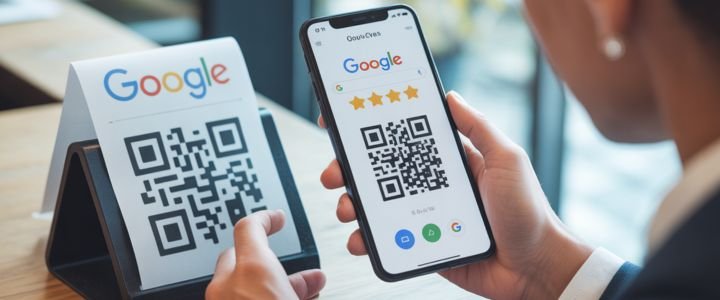
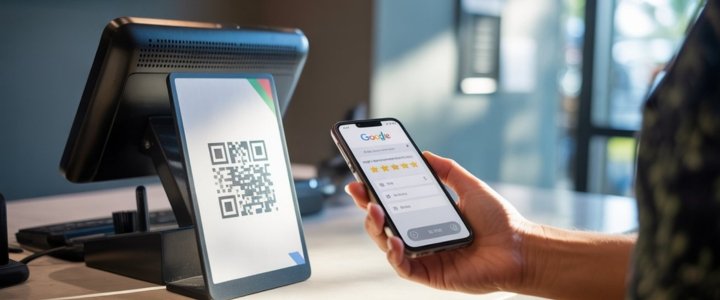
- Small Businesses: Link to your Google Reviews page to encourage happy customers to leave feedback.
- Consultants: Link directly to your calendar booking page (like Calendly) so prospects can schedule a meeting right then and there.
File Formats: PDF, Word, or Vector?
When you are ready to save your design, the file format matters.
- QR Code Business Card Template PDF: This is the standard for professional printing. It preserves fonts and image quality.
- JPG/PNG: Good for sharing digitally, but text can sometimes look pixelated when printed.
- Word/PPT: Good for home printing, but professional print shops may ask you to convert these to PDF first.
Conclusion
Networking has evolved. While the physical exchange of a card is still a powerful gesture, the data on that card needs to live digitally. Using a qr code business card template is the most efficient bridge between these two worlds.
It saves you time, cuts down on design costs, and creates a seamless experience for your new contacts. Whether you choose a drag-and-drop tool like Canva or a professional vector template, the key is to test your code and keep the design clean.
Don't let your business card be another piece of paper that gets lost in the shuffle. Pick a template, customize it today, and start making connections that last.
FAQs
Where can I find a qr code business card template free?
You can find excellent free templates on Canva, Freepik, and Adobe Express. These platforms offer free tiers that allow you to design and download print-ready files without paying a subscription fee.
How do I make a QR code business card in Canva?
Open Canva and search for "business card." Choose a template you like. On the left sidebar, go to "Apps" and search for "QR Code." Enter your website URL, generate the code, and drag it onto your card design.
What is the best size for a QR code on a business card?
To ensure readability by all smartphones, your QR code should be at least 0.8 inches by 0.8 inches (2 cm x 2 cm). Avoid making it smaller than this, or cameras may struggle to focus on it.
Can I use Microsoft Word to make a QR code business card?
Yes. You can download a qr code business card template Word file from various office template sites. You will likely need to generate your QR code using a free online generator, save it as an image, and paste it into your Word document.
Should I use a static or dynamic QR code?
A dynamic QR code is better for business cards. It allows you to change the destination link (e.g., from your website to your LinkedIn profile) later without having to re-print your physical cards.
How do I create a business card with qr code for PDF?
Design your card in a tool like Canva or Adobe Illustrator. When you are finished, choose "Export" or "Download" and select "PDF Print." This ensures your QR code remains crisp and high-quality for the printer.
Does the color of the QR code matter?
Yes. High contrast is essential. The safest option is a black code on a white background. Avoid light colors like yellow or pastels for the code, as phone cameras often cannot detect them against the background.
What information should I link to my QR code?
Common links include your personal website, a digital portfolio, a LinkedIn profile, a vCard (contact file), or a link-in-bio page that houses all your social media and contact links in one place.