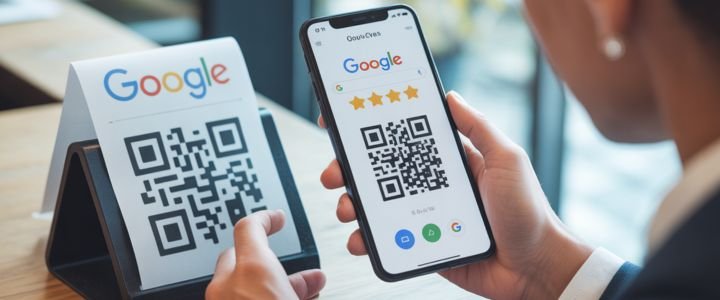
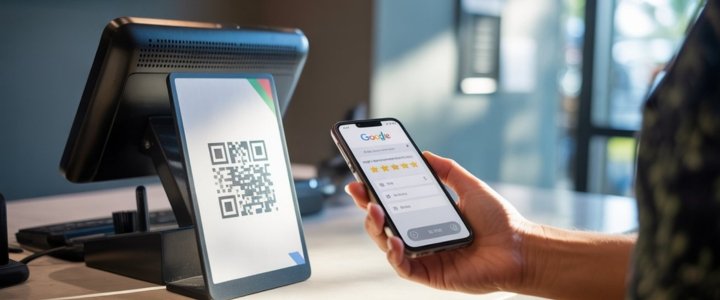
_cropped.jpg)

Sharing WiFi access used to be annoying and slow. Long passwords confusing characters and repeated questions made the process frustrating. People had to spell passwords again and again which caused mistakes and wasted time. This problem became even bigger in homes offices cafes and events where many people needed internet access quickly.
The solution to this problem is simple and already available on most modern devices. A qr code wifi password allows people to connect to a network instantly by scanning a code. No typing no guessing and no confusion. This guide explains everything about qr code wifi password in a clear and practical way so anyone can understand and use it confidently.
What Is A QR Code WiFi Password?
A qr code wifi password is a scannable code that stores WiFi network details. These details include the network name password and security type. When someone scans the code their device reads the information and connects automatically to the WiFi network. This method removes the need to manually type passwords. It works on most Android and iPhone devices and also through online scanners. The goal is fast accurate and user friendly WiFi access without sharing sensitive details verbally.
How QR Code Stores WiFi Password Data?
A WiFi QR code stores information in an encoded format. The code includes the network name which is also called SSID. It also includes the password and the encryption method such as WPA or WPA2. All this data is hidden inside the pattern of the QR code. When a device scans the code it decodes the data instantly. The user does not see complex strings or technical details. The phone simply asks for confirmation and connects to the network safely.
How To Scan WiFi Password Using QR Code?
Scanning a qr code wifi password is easy and takes only a few seconds. Most modern smartphones support QR scanning directly from the camera app. Once scanned the phone recognizes the WiFi data and offers a connect option.
This method works for printed QR codes screenshots and even images shared through messaging apps. It helps guests connect without asking questions or making errors.
Scan WiFi QR Code On Android Devices
Android devices have built in support for scanning WiFi QR codes. When connected to a network users can open WiFi settings and find a share or QR option. This generates a QR code containing the WiFi password.
Other Android phones can scan this code using the camera or built in QR scanner. Some devices may ask for fingerprint or PIN verification before showing the code. This adds a layer of security and prevents misuse.
Scan QR Code WiFi Password On iPhone
iPhone users can scan WiFi QR codes using the default camera app. When the camera detects a WiFi QR code a notification appears asking to join the network. Tapping it connects the device instantly. For saved screenshots users can open the Photos app and use built in scanning or Google Lens. While iOS does not always show the password directly it allows seamless connection which is the main goal.
Get WiFi Password From QR Code Online
Sometimes users need to view the password itself especially when connecting laptops or smart devices. In such cases online WiFi QR code scanner tools are useful. These tools allow users to upload a QR code image and decode the WiFi details. This method works well on desktop computers where cameras may not support QR scanning. Users should only use trusted tools and avoid scanning unknown QR codes for security reasons.
Scan WiFi Password From Screenshot Image
A QR code does not need to be scanned live. Users can take a screenshot of the QR code and scan it later. Many phones support scanning directly from image galleries.
If that option is not available Google Lens or online decoders can read the screenshot. Clear images with proper lighting work best. Blurry or cropped images may fail to decode properly.
Create QR Code For WiFi Password Sharing
Creating a qr code wifi password is simple and free. Many online generators allow users to enter their network name password and encryption type. Once generated the QR code can be downloaded or printed. Users should double check details before sharing. If the password changes the QR code must be updated. For businesses dynamic QR codes are better as they allow updates without reprinting.
Free QR Code WiFi Password Tools Compared
| Tool Type | Platform | Scan Method | Shows Password | Best For |
|---|---|---|---|---|
| Built in Android | Mobile | Camera | Yes | Personal sharing |
| iPhone Camera | Mobile | Camera | No | Quick connect |
| Online Scanner | Desktop | Image upload | Yes | Laptop access |
| QR Generator | Web | Code creation | N A | Sharing WiFi |
This comparison helps users choose the right tool based on their device and need.
WiFi QR Code Without Password
Some WiFi networks do not require a password. These are open networks often found in public places. A WiFi QR code without password simply stores the network name and connection type. While this makes access very easy it also reduces security. Open networks should be used carefully and never for sensitive data. For homes and offices password protected QR codes are always better.
Is QR Code WiFi Password Secure?
Security depends on how the QR code is used. The QR code itself does not weaken encryption. It only shares existing credentials in a faster way. If shared publicly anyone can connect.
To stay secure users should avoid displaying private WiFi QR codes in public places. Guest networks are a good option. Changing passwords regularly also helps maintain safety.
Common Problems While Scanning WiFi QR Codes
Users may face issues when scanning WiFi QR codes. Poor lighting can make scanning difficult. Older devices may not support QR scanning. Incorrect passwords inside the QR code can cause connection failure. Testing the QR code on multiple devices before sharing helps avoid problems. Keeping the image clear and properly sized also improves scanning success.
Best Places To Use QR Code WiFi Password
QR code WiFi passwords work well in many environments. Homes use them for guests. Cafes and restaurants display them on tables or menus. Offices place them at reception desks. Events and conferences use QR codes to allow fast internet access for large crowds. This improves experience and reduces staff workload.
QR Code WiFi Password Vs Manual Sharing
| Method | Speed | Error Risk | Convenience | User Experience |
|---|---|---|---|---|
| Manual typing | Slow | High | Low | Frustrating |
| QR code scanning | Fast | Very low | High | Smooth |
Final Thoughts
QR code WiFi password technology has changed the way people connect to the internet. It removes confusion saves time and improves security when used properly. From homes to businesses this method fits almost every situation.
Understanding how qr code wifi password works gives users control over their network access. It simplifies sharing while keeping things organized and modern. This small change delivers a big improvement in everyday digital life.
FAQs
How to get QR code for WiFi password?
You can generate it from Android WiFi settings or using an online QR code generator by entering your network details.
How to find WiFi password from QR code?
Scan the QR code using a phone or online scanner tool to reveal the password.
Can QR code reveal WiFi password?
Yes when decoded using compatible tools it can show the password.
Which app scans WiFi QR code password?
Most phone cameras support it. Google Lens and online scanners also work.
How to scan WiFi password from another phone?
Open the camera and scan the QR code shown on the other device.
Is it safe to share WiFi password via QR code?
Yes if shared with trusted users and not displayed publicly.